Why Does My Dell Printer Stop Working Randomly?
If you’re asking why does my Dell printer stop working randomly, you’re dealing with a surprisingly common issue. One moment your printer works perfectly, and the next it refuses to print, goes offline, or stops responding altogether. There’s no clear error message, no warning, and restarting sometimes helps but never permanently.
This kind of unpredictable behavior is frustrating, especially when you rely on your printer for work, school, or business. The good news is that random printer failures are rarely random at all. In most cases, there’s a specific underlying cause that hasn’t been identified yet.
In this guide, we’ll explain why Dell printers stop working unexpectedly, what’s really happening behind the scenes, and how to fix the problem properly so it doesn’t keep returning.
What “Random” Printer Failures Really Mean
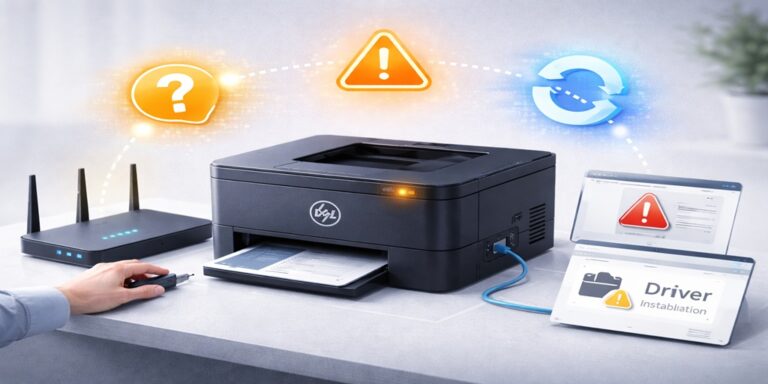
When a Dell printer stops working randomly, it usually means something in the communication chain is unstable. The printer itself is rarely broken. Instead, the connection between the printer, the computer, and the network is being interrupted intermittently.
Because the interruption doesn’t happen consistently, it feels random. But once the pattern is identified, the issue becomes much easier to fix.
The Most Common Reasons Dell Printers Stop Working Randomly
1) Network Instability (Especially Wireless Printers)
Wireless Dell printers are convenient, but they depend heavily on stable network communication. Even small network disruptions can cause the printer to stop responding.
Common triggers include:
- Router restarts or firmware updates
- Weak or fluctuating Wi-Fi signals
- Network congestion
- Switching between networks
The printer may reconnect on its own, but your computer doesn’t always reconnect correctly, leading to sudden failures.
2) Changing IP Addresses
Most home and office networks assign IP addresses automatically. When the network refreshes, your Dell printer may receive a new IP address while your computer keeps trying to reach the old one.
This causes:
- Printer works sometimes
- Printer disappears at random
- Printer shows offline without explanation
This is one of the most overlooked causes of random printer issues.
3) Driver Conflicts or Corruption
Printer drivers are software components that allow your system to communicate with the printer. If a driver becomes outdated, partially corrupted, or replaced during an update, communication can fail unpredictably.
This often happens after:
- Operating system updates
- Automatic driver installations
- Interrupted software updates
The printer may work for a while, then suddenly stop.
4) Print Spooler Service Issues
The print spooler is a background service that manages print jobs. If it crashes, freezes, or gets stuck on a failed document, the printer can stop working without warning.
Because the spooler runs silently, users often don’t realize it’s the cause.
5) Power Management Settings
Modern systems use aggressive power-saving features. These can:
- Disable USB ports
- Put network adapters to sleep
- Interrupt printer communication
When this happens, the printer may stop responding after periods of inactivity, then work again after a restart.
6) System or Security Software Interference
Firewall and antivirus programs sometimes block printer communication while still allowing internet access. The printer appears connected, but data cannot pass through consistently.
This leads to intermittent failures that feel random.
Why Restarting Fixes It (But Only for a While)
Restarting the printer, computer, or router often restores printing temporarily. This happens because restarting:
- Resets network connections
- Clears temporary errors
- Restarts background services
However, restarting does not fix the underlying configuration problem. Once the same condition occurs again, the printer stops working.
That’s why the issue keeps coming back.
How to Fix a Dell Printer That Stops Working Randomly
To fix the problem properly, you need to focus on stability, not quick resets.
Step 1: Identify the Connection Type
Determine whether your Dell printer is connected via:
- Wi-Fi
- Ethernet
- USB
Each connection type has different failure points.
Step 2: Check Printer Port and Addressing
Ensure your system is communicating with the printer using the correct port and address. Incorrect or outdated port settings are a major cause of intermittent failures.
Step 3: Update or Reinstall the Correct Driver
Remove outdated or duplicate drivers and install the correct Dell printer driver for your system. This restores consistent communication.
Step 4: Restart and Stabilize the Print Spooler
Clearing stuck print jobs and restarting the spooler often resolves unpredictable behavior.
Step 5: Review Power and Sleep Settings
Disable power-saving features that interrupt printer or network communication, especially for USB-connected printers.
Step 6: Check Network and Security Settings
Ensure your firewall or security software is not blocking printer communication. If it is, proper exceptions should be configured.
Wireless vs USB Dell Printers: Which Is More Prone to Random Issues?
Wireless Dell Printers
More likely to stop working randomly due to:
- Network changes
- IP address reassignment
- Signal instability
USB Dell Printers
Usually affected by:
- Driver issues
- Power management settings
- Spooler errors
Understanding your setup helps narrow down the cause faster.
When the Printer Works One Day and Fails the Next
This pattern almost always points to:
- Automatic updates
- Network refresh cycles
- Background service interruptions
The printer itself doesn’t change. The environment around it does.
When to Get Professional Help
You should consider expert troubleshooting if:
- The printer stops working several times a week
- Restarting only helps briefly
- You’ve tried multiple fixes without success
- Printing is critical for your work or business
At Dell Printer Offline Fix, troubleshooting focuses on identifying the exact instability point and correcting it permanently, not masking the symptoms.
How to Prevent Random Dell Printer Failures in the Future
While no system is perfect, random failures can often be reduced by:
- Keeping drivers updated manually
- Avoiding duplicate printer installations
- Using stable network connections
- Addressing issues immediately instead of ignoring them
Preventive steps save time and frustration long-term.
Final Thoughts
So, why does my Dell printer stop working randomly?
Because something in the communication chain is unstable—whether it’s the network, driver, port, spooler, or power settings. The printer is usually fine. The connection is not.
Once the root cause is identified and fixed correctly, your Dell printer can work consistently instead of failing without warning.
If the issue keeps returning, Printer Offline Fix is here to help you restore stable, reliable printing without the guesswork.