Your Lexmark printer is connected to WiFi, the signal looks fine, maybe you can even see it in your router… yet your computer says:
Table of Contents
Toggle👉 “Printer Offline.”
So what’s really going on?
In most cases, your printer is not actually offline. It’s just not talking properly to your computer due to network-level issues.
In this guide, I’ll show you:
- Why your Lexmark printer shows offline even when connected to WiFi
- Why it keeps going offline every few hours
- How to check if it’s truly connected
- Step-by-step fixes that actually work
Let’s break it down.
Why Is My Lexmark Printer Connected to WiFi but Showing Offline?
This is almost always a communication problem, not a hardware issue.
Here are the real causes:
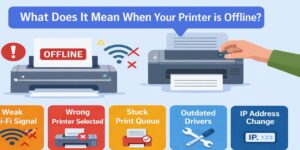
- IP Address Changed (Most Common)
Your router assigns a new IP address to the printer.
👉 Your computer is still trying to connect to the old one.
- Printer and Computer on Different Networks
You might have:
- 2.4 GHz WiFi
- 5 GHz WiFi
- Guest network
Even with the same WiFi name, they can behave differently.
- Weak or Unstable WiFi Signal
Signal drops = connection breaks = offline status.
- WSD Port Instead of TCP/IP
Windows often uses WSD (auto detection), which is unreliable.
- Router or Firewall Blocking Communication
Some routers block internal device communication.
⚡ Quick Fix (2-Minute Solution)
Try this first:
- Restart printer
- Restart router
- Restart computer
- Reconnect printer to WiFi
- Set printer as default
👉 This alone solves many cases.
Why Does My Lexmark Wireless Printer Keep Going Offline Every Few Hours?
If your printer keeps disconnecting, this is a deeper issue.
Common Reasons:
🔹 Dynamic IP Assignment (DHCP)
Your router changes the printer’s IP regularly.
🔹 Sleep Mode / Power Saving
Printer goes idle → disconnects from network.
🔹 Router Instability
Frequent resets or firmware issues.
🔹 Interference
Walls, devices, or distance weaken signal.
Permanent Fix for This Problem
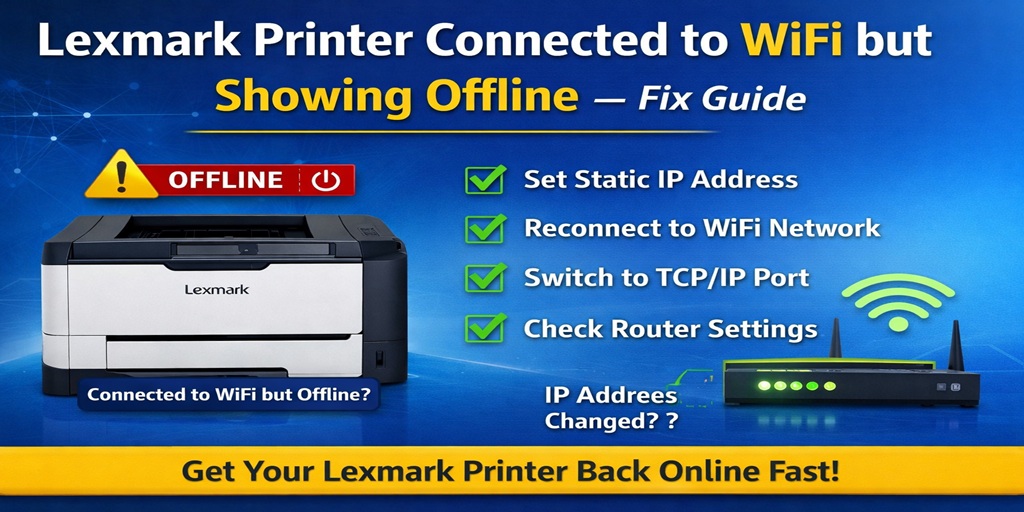
✔ Assign a Static IP address
✔ Keep printer close to router
✔ Disable sleep mode (if possible)
✔ Update router firmware
Once you do this, the problem usually stops completely.
How to Check if My Lexmark Printer Is Connected to the Same WiFi Network
This is a simple but critical check.
Method 1: Check Printer Display
- Go to printer settings
- Find Network / WiFi Settings
- Note the network name (SSID)
Method 2: Check on Computer (Windows)
- Open Command Prompt
- Type:
ipconfig
- Compare:
- Your computer IP
- Printer IP
👉 They should be on the same network (e.g., 192.168.1.x)
Method 3: Router Dashboard
- Log in to your router
- Check connected devices
- Find your Lexmark printer
🛠️ How to Fix Lexmark Printer Offline on Network Connection
Now let’s fix it properly.
Step 1: Reconnect Printer to WiFi
- Go to printer WiFi settings
- Disconnect current network
- Reconnect manually
Step 2: Assign Static IP (MOST IMPORTANT FIX)
- Open router settings
- Find connected devices
- Locate printer
- Assign a fixed IP
👉 This prevents future offline issues.
Step 3: Switch to TCP/IP Port (Windows)
- Control Panel → Devices & Printers
- Right-click printer → Properties
- Go to Ports tab
- Add Standard TCP/IP Port
- Enter printer IP
👉 This is more stable than WSD.
Step 4: Restart Print Spooler
- Press Win + R
- Type: services.msc
- Restart Print Spooler
Step 5: Disable SNMP Status (Optional Advanced Fix)
- Go to printer port settings
- Uncheck SNMP Status Enabled
This avoids false offline signals.
Step 6: Check Firewall / Antivirus
- Temporarily disable firewall
- Try printing
- If it works → allow printer in firewall
🧠 Windows vs Mac Differences
Windows:
- More issues due to WSD ports
- Needs TCP/IP configuration
Mac:
- Usually solved by re-adding printer via IP
- Fewer driver conflicts
📡 Network Troubleshooting Checklist
✔ Same WiFi network
✔ Strong signal
✔ Static IP set
✔ Correct port (TCP/IP)
✔ Firewall not blocking
❓ FAQs (People Also Ask Style)
1. Why is my Lexmark printer offline but connected to WiFi?
Because your computer cannot communicate with it, usually due to IP or network issues.
2. How do I fix a wireless printer that keeps going offline?
Assign a static IP, improve WiFi signal, and switch to TCP/IP port.
3. Can WiFi signal affect printer status?
Yes. Weak or unstable signals can cause frequent disconnections.
4. What is the best connection method for printers?
TCP/IP connection is the most stable.
5. Why does my printer disconnect every few hours?
Dynamic IP changes or sleep mode settings.
6. Should I reinstall my printer?
Only if network fixes don’t work.
7. Is this a router issue?
Sometimes yes, especially with DHCP or firewall settings.
Conclusion
If your Lexmark printer is connected to WiFi but showing offline, the issue is almost never the printer itself.
It’s usually:
- IP address mismatch
- Network communication failure
- Incorrect port setup
Fix those, and your printer stays online.
Still stuck with your Lexmark printer offline issue?
Try the static IP + TCP/IP port fix first. If you want, I can guide you step-by-step based on your exact printer model and network setup.