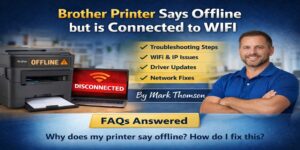
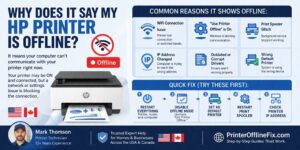
If you’re asking, “Why does my Brother printer keep going offline randomly?”, you’re probably tired of reconnecting it over and over again. One minute it prints fine. Next minute it says offline. No warning. No clear reason.
Table of Contents
ToggleThis guide from Printer Offline Fix explains exactly why this happens and how to stop it permanently. Whether you’re using Windows 10 or Windows 11, the fixes below address the real causes behind recurring disconnects.
Why does my Brother printer keep going offline randomly?
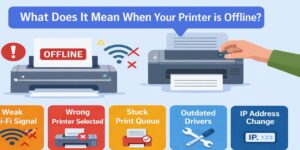
Your Brother printer keeps going offline randomly due to unstable WiFi connection, dynamic IP address changes, outdated printer drivers, Windows print spooler crashes, firewall interference, or power-saving sleep mode. These issues interrupt communication between the printer and your computer, causing repeated offline status.
Now let’s break it down properly.
The Real Reasons Your Brother Printer Keeps Disconnecting
Most people assume it’s a hardware problem. In my 10+ years of handling printer issues, that’s rarely the case.
It’s almost always one of these.
1. Unstable WiFi Connection (Most Common Cause)
A weak or fluctuating signal leads to a Brother printer network issue. Even if the printer shows connected to WiFi, a small signal drop can force Windows to mark it offline.
Common triggers:
- Router too far from printer
- Thick walls blocking signal
- Network congestion
- Router restarting automatically
If your Brother printer offline but connected issue happens randomly throughout the day, unstable WiFi is a strong suspect.
Fix:
- Move printer closer to router
- Restart router
- Use 2.4 GHz band instead of 5 GHz
- Avoid guest networks
2. Dynamic IP Address Conflict
This is the hidden culprit in many recurring cases.
Your router assigns IP addresses dynamically. When the printer restarts, it may receive a new IP. Windows still tries to communicate with the old one. Result? Offline status.
This explains why your Brother printer keeps disconnecting even though nothing seems wrong.
Permanent Fix: Assign Static IP
- Access printer’s network settings
- Switch from automatic IP to manual
- Enter a fixed IP address
- Update printer port in Windows
This single step solves recurring offline issues in many households and offices.
3. Brother Printer Driver Problem
An outdated or corrupted driver is a major reason behind Brother printer offline Windows 10 and Brother printer offline Windows 11 issues.
Drivers act as translators between Windows and your printer. If they break, communication fails.
Signs of Driver Issue:
- Printer shows offline after Windows update
- Printing works after reinstall but fails again
- Printer disappears from Devices
Fix:
- Uninstall current Brother printer driver
- Restart computer
- Download latest driver from official Brother website
- Install fresh version
Avoid using CD drivers. Always use updated versions.
4. Windows Print Spooler Service Crashing
The print spooler manages all print jobs. If it crashes, your printer may appear offline.
Many Brother printer troubleshooting cases are resolved by restarting this service.
How to Restart Print Spooler:
- Press Windows + R
- Type services.msc
- Locate “Print Spooler”
- Right-click > Restart
If it keeps stopping, set Startup Type to Automatic.
5. Power Saving or Deep Sleep Mode
Some Brother printers enter deep sleep mode after inactivity. When this happens, Windows may lose connection and mark it offline.
This explains why the printer works in the morning but shows offline later.
Fix:
- Disable Deep Sleep Mode in printer settings
- Adjust power-saving settings
- Update firmware
6. Firewall or Antivirus Blocking Printer
Windows 11 especially has stricter security layers. Sometimes the firewall blocks printer communication.
If your Brother printer offline Windows 11 problem started after a security update, check this.
Test:
Temporarily disable firewall and test printing.
If it works, create a firewall exception for your printer.
How to Stop Brother Printer from Going Offline Permanently
Temporary fixes are easy. Permanent stability requires proper configuration.
Follow this checklist:
✔ Assign static IP address
✔ Reinstall latest drivers
✔ Restart spooler and set to automatic
✔ Disable deep sleep mode
✔ Keep firmware updated
✔ Ensure strong WiFi signal
Do all of these once, and your printer should stay stable.
Brother Printer Offline Windows 10 vs Windows 11
The core issue is similar, but Windows 11 introduces:
- Redesigned printer interface
- Enhanced security restrictions
- More frequent background updates
After upgrading from Windows 10 to 11, reinstalling the printer driver often fixes recurring offline issues.
Why Brother Printer Offline But Connected Happens
This confuses users the most.
The printer shows WiFi connected. Router lights are stable. Yet Windows says offline.
This happens because:
- Windows communicates via IP address
- If that IP changes, Windows can’t locate the device
- Connection appears “connected” but is logically broken
That’s why static IP is critical for network printers.
Advanced Brother Printer Troubleshooting
If the issue persists:
- Remove Printer Completely
- Delete from Devices
- Remove driver packages
- Reinstall fresh
- Check for Router Firmware Updates
Old router firmware causes intermittent disconnects.
- Use USB Instead of WiFi (For Testing)
If USB works consistently, the issue is network-related.
Expert Insight from Printer Offline Fix
I’m Mark Thomson, a printer support specialist with over 10 years of experience resolving printer offline and connectivity issues.
From handling hundreds of cases, I can confidently say:
- 60% are IP conflicts
- 25% are driver corruption
- 10% are spooler failures
- 5% are hardware issues
Replacing the printer is almost never the solution.
Proper configuration is.
FAQs
Why does my Brother printer keep going offline randomly even with strong WiFi?
Even strong WiFi doesn’t prevent IP conflicts or driver corruption. Most recurring offline cases are caused by dynamic IP changes or outdated drivers, not signal strength alone.
How do I fix Brother printer offline Windows 10 quickly?
Restart printer and router, disable “Use Printer Offline,” restart spooler service, and reinstall updated drivers. These steps solve most Windows 10 offline errors.
Why is my Brother printer offline Windows 11 after update?
Windows updates sometimes reset printer configurations or block drivers. Reinstalling the latest compatible Brother driver usually resolves the issue.
How do I stop my Brother printer from disconnecting repeatedly?
Assign a static IP address, disable deep sleep mode, update drivers, and ensure router stability. This prevents recurring disconnections.
Can antivirus cause Brother printer offline but connected error?
Yes. Some antivirus or firewall settings block printer communication. Temporarily disabling security software can confirm this.
Final Thoughts
If you’ve been wondering, why does my Brother printer keep going offline randomly, the answer is usually network configuration or driver-related, not hardware failure.
The key is not just restarting everything. It’s fixing the root cause.
Once you configure static IP, update drivers, and adjust power settings, your printer should remain stable.
Take your time. Follow the steps carefully.
And remember, most recurring printer issues are solvable without replacing the device.
If you need deeper assistance, Printer Offline Fix provides expert-backed troubleshooting to restore reliable printing without unnecessary upgrades.