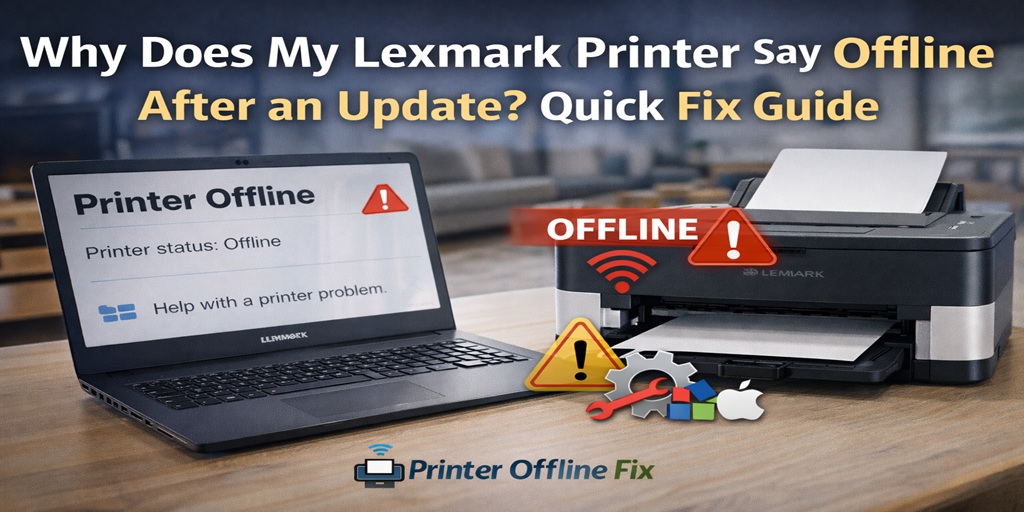
You install a Windows update. Everything seems fine. Then you try to print… and suddenly your screen says:
Table of Contents
ToggleIt was working perfectly yesterday. Now it won’t print at all.
If you’re searching “Why does my Lexmark printer say offline after an update?” you’re not alone. This is one of the most common post-update issues we handle at Printer Offline Fix.
I’m Mark Thomson, a printer support specialist with over 10 years of experience resolving printer offline and connectivity issues. I’ve personally seen hundreds of Lexmark printers go offline right after Windows updates. The good news? It’s almost always fixable without replacing the printer.
Let’s break down why this happens and how to fix it properly.
Why Does a Lexmark Printer Go Offline After an Update?
When Windows installs a system update, it often:
- Replaces or modifies printer drivers
- Resets default printer settings
- Changes network permissions
- Disables certain services like Print Spooler
- Updates security policies that block communication
Your printer didn’t suddenly break. The update simply interrupted how Windows communicates with it.
This is especially common with:
- Windows 10 updates
- Windows 11 feature updates
- Driver compatibility patches
If your Lexmark printer says offline after update, it’s usually a software configuration issue.
Quick 5-Minute Fix Checklist
Before diving deep, try these fast fixes:
- Restart your Lexmark printer
- Restart your computer
- Restart your WiFi router
- Disable “Use Printer Offline” mode
- Set the printer as default
Many users solve the problem right here.
Step 1: Disable “Use Printer Offline”
After updates, Windows sometimes enables offline mode automatically.
Here’s how to fix it:
- Press Windows + R
- Type control printers
- Click your Lexmark printer
- Select Printer from the top menu
- If “Use Printer Offline” is checked, uncheck it
Try printing again.
Step 2: Reinstall Lexmark Printer Drivers
In my experience, this is the most common solution.
Updates often overwrite compatible drivers with generic Microsoft drivers. That breaks communication.
How to reinstall properly:
- Press Windows + X
- Open Device Manager
- Expand Printers
- Right-click your Lexmark printer
- Select Uninstall device
- Restart your computer
- Download the latest driver from Lexmark official website
- Install the driver fresh
Never rely on automatic driver updates after a major Windows patch.
Step 3: Restart Print Spooler Service
If the Print Spooler service stops during the update, your Lexmark printer will show offline.
Restart it like this:
- Press Windows + R
- Type services.msc
- Find Print Spooler
- Right-click → Restart
Now try printing again.
I’ve fixed countless cases just by restarting this service.
Step 4: Check Default Printer Settings
After Windows updates, your system may switch default printers.
To fix:
- Go to Settings
- Click Printers & Scanners
- Select your Lexmark printer
- Click Set as Default
If Windows is sending print jobs elsewhere, it may appear offline.
Step 5: Fix IP Address Conflicts
This is a big one.
After updates, network settings may refresh. If your Lexmark printer gets a new IP address, Windows might still try connecting to the old one.
Solution:
- Print a network configuration page from the printer
- Note the current IP address
- Remove the printer from Windows
- Re-add it using the updated IP
For long-term stability, assign a static IP address in your router settings.
Why Does My Lexmark Printer Say Offline After Windows 10 Update?
Windows 10 updates are known for:
- Replacing manufacturer drivers
- Resetting network discovery
- Changing firewall rules
If your Lexmark printer worked before the update and stopped right after, it’s almost certainly driver or network configuration related.
The printer hardware itself is rarely the problem.
Why Does My Lexmark Printer Say Offline After Windows 11 Update?
Windows 11 has stricter security policies.
Sometimes it blocks older driver protocols.
The fix:
- Install the latest Lexmark Windows 11 compatible driver
- Ensure network discovery is enabled
- Check firewall settings
Updates prioritize security over device compatibility.
Firewall and Antivirus Issues After Update
After updates, Windows Defender or antivirus software may block printer communication ports.
Try temporarily:
- Disabling firewall
- Disabling antivirus
- Printing a test page
If it works, add your printer as an exception.
Printer Works From Phone But Offline on Computer?
If your Lexmark printer prints from your phone but not from your PC, the printer is fine.
That means:
- Network is working
- Printer hardware is working
- The issue is Windows-related
Focus on drivers, spooler service, and IP configuration.
Advanced Reset Method
If nothing works, perform a complete reset:
- Remove printer from Windows
- Uninstall drivers
- Restart computer
- Reset network settings on printer
- Reconnect printer to WiFi
- Install latest driver manually
This clears post-update corruption.
When to Seek Expert Help
You may need professional assistance if:
- Driver installation keeps failing
- Printer keeps going offline repeatedly
- Windows cannot detect the printer at all
- You see error codes after update
At Printer Offline Fix, we resolve post-update printer issues daily.
In over a decade of troubleshooting, I’ve found that most “printer offline after update” cases are configuration problems, not hardware failures.
Why Trust Printer Offline Fix?
We specialize in:
- Post-Windows update printer issues
- Lexmark offline troubleshooting
- Network printer configuration
- Driver repair and reinstallation
- Advanced Windows printer diagnostics
You don’t have to waste hours guessing.
We identify the exact cause and fix it properly.
Frequently Asked Questions
Why does my Lexmark printer say offline after an update?
Your Lexmark printer says offline after an update because Windows may have replaced or corrupted the printer driver, changed network permissions, reset default printer settings, or disrupted the Print Spooler service. In most cases, reinstalling the correct driver resolves the issue.
How do I get my Lexmark printer back online after a Windows update?
Disable “Use Printer Offline” mode, restart the Print Spooler service, reinstall the latest Lexmark driver from the official website, and ensure the printer is set as default. If needed, reconfigure the network connection and assign a static IP address.
Final Thoughts
If you’re wondering, “Why does my Lexmark printer say offline after an update?”, now you know the real reason.
Updates often disrupt printer communication settings.
The solution is usually:
- Reinstalling drivers
- Restarting services
- Fixing network configuration
Very rarely is the printer itself faulty.
If the issue persists or keeps returning, Printer Offline Fix is here to help.
With over 10 years of hands-on troubleshooting experience, I can confidently say: this problem is fixable.
Let’s get your Lexmark printer back online — quickly and properly.